
Related terms
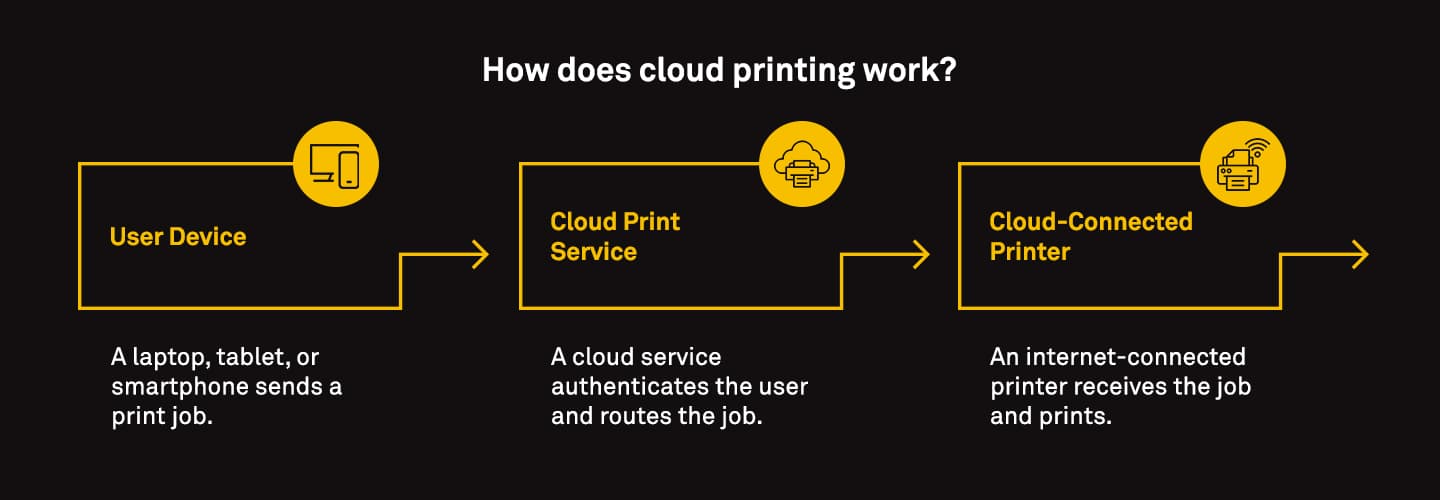
How does cloud printing work?
When a user sends a print job from their device, it goes to a cloud print service. This service authenticates the user and forwards the job to the designated printer. The printer, connected to the internet, receives the job and completes the task.
Cloud printing works with both cloud-ready printers and older models (using connectors or adapters), making it adaptable to different environments
Cloud printing typically involves three key components:
User Device: Any internet-connected device—laptop, tablet, or smartphone.
Cloud Print Service: A platform that receives, processes, and routes the print job to the appropriate printer.
Cloud-Connected Printer: A printer that can receive jobs from the cloud, either natively or via a print server or software.
For example, RICOH CloudStream allows users to print from any device, at any location, without the need for drivers or complex setup. It also supports secured scanning and remote device management, making it ideal for businesses with distributed teams.
Related solutions
Further insights
 Articles
Modernizing print with cloud printing
Cloud printing and print management are the future of business. See how companies are successfully modernizing their print infrastructure.
 Articles
A look at printing and its real costs
Printing costs can go far beyond paper and toner. In this article, we look at how to reduce waste, improve security and find hidden savings.
 Articles
When to upgrade your older, legacy printer
We look at 5 reasons why now is the best time to upgrade your older printer or MFP, additional considerations, and the benefits of doing so.